
SmartPay Hub
Welcome to your one-stop-shop for everything you need to support you on your SmartPay journey.




how to
How-tos
Choose the type of employee you are below to access your SmartPay Quick Reference Guides (QRGs) and videos. You can view them directly on your mobile or download and save for later.
Before you can use the new SmartPay apps, you must have:
-
Set up your Sodexo account by updating your first-time password, and
-
Set up MFA with Microsoft MySign-Ins portal (not applicable to Agency personnel), and
-
Been advised that you are now able to login.
I am a fortnightly employee
UKG Pro
Clock in / out with your new time and attendance app
UKG Getting started
UKG My schedule
UKG My worked hours

SuccessFactors
View your payslips and update personal details
SuccessFactors Getting started
SuccessFactors Using self-service
Pay explainers
8:6 employees
14:7 employees
I am a casual employee
UKG Pro
Clock in / out with your new time and attendance app
UKG Getting started
UKG My schedule
UKG My worked hours
SuccessFactors
View your payslips and update personal details
SuccessFactors Getting started
SuccessFactors Using self-service
I am agency personnel
UKG Pro
Clock in / out with your new time and attendance app
UKG Getting started
UKG My schedule
UKG My worked hours
Further support:
- Click here to update / reset your Sodexo password
- Contact your Line Manager for extra assistance
- Employee Assistance Program (EAP) – PeopleSense
Download SuccessFactors to view your pay slip
iPhone – App Store
Click here or scan the QR to download from the App Store.
Android – Google Play Store
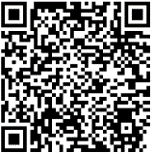
Click here or scan the QR to download from the Google Play Store.